
A new dashboard that enables remote support for clinicians
A new dashboard that enables remote support for clinicians
Details have been anonymized due to NDA.
Details have been anonymized due to NDA.
Timeline
Timeline
Jan 2024 - Jun 2024
Jan 2024 - Jun 2024
Role
Role
UX/UI Designer
UX/UI Designer
Summary
Summary
The existing device update process is burdensome for both the business and the clinic side. I designed a centralized platform for our team to organize updates, and a series of in-app prompts that significantly reduced disruptions for clinics during their daily patient consultation.
The existing device update process is burdensome for both the business and the clinic side. I designed a centralized platform for our team to organize updates, and a series of in-app prompts that significantly reduced disruptions for clinics during their daily patient consultation.
Impact
Impact
Reduced operational downtime from days to minutes
Reduced operational downtime from days to minutes
Enabled a scalable remote support process
Enabled a scalable remote support process
Improved security of data transfer
Improved security of data transfer
PROBLEM AREA
PROBLEM AREA
The manual update process is causing friction
The manual update process is causing friction
The existing process had limited remote support capabilities, requiring clinicians to return devices for even minor updates. To avoid the disruption, users often delayed updates, creating significant business risk.
The existing process had limited remote support capabilities, requiring clinicians to return devices for even minor updates. To avoid the disruption, users often delayed updates, creating significant business risk.
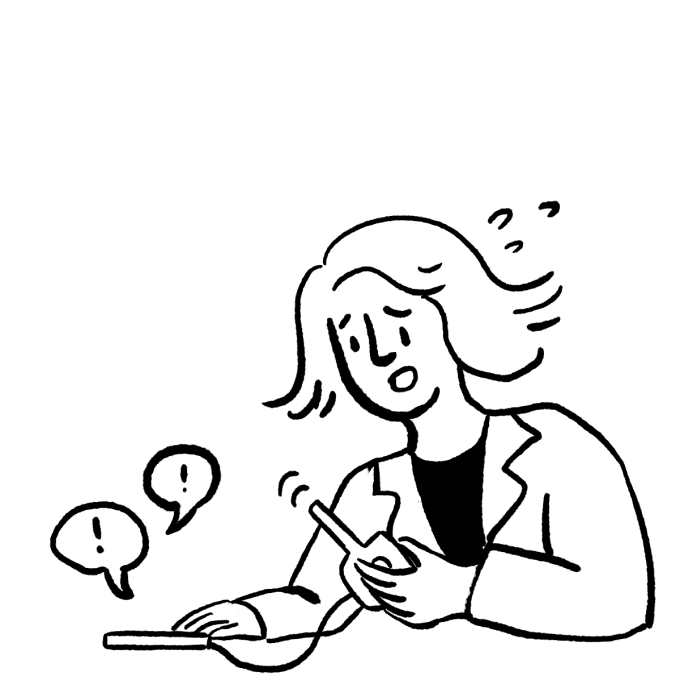
01 Device error
The clinician can’t operate an outdated device.
01 Device error
The clinician can’t operate an outdated device.
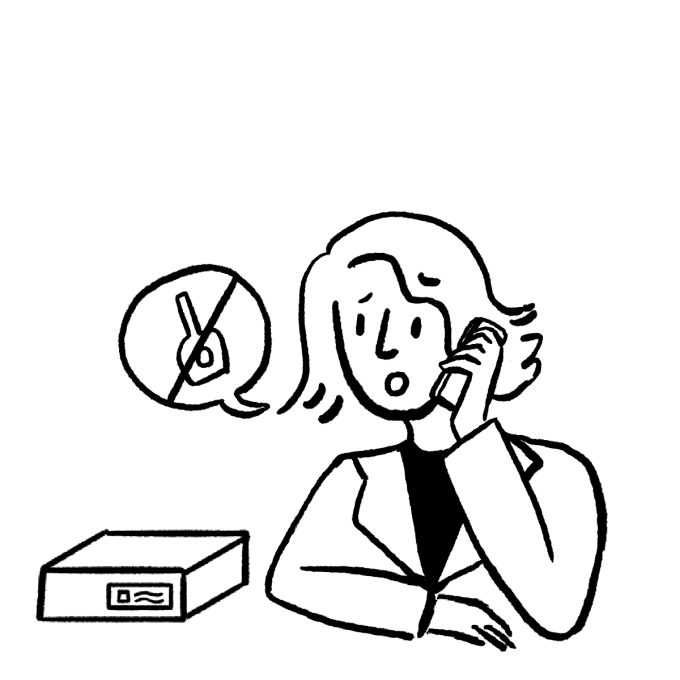
02 Returning the device
The clinician returns the device for servicing and stops all tests during the downtime.
02 Returning the device
The clinician returns the device for servicing and stops all tests during the downtime.
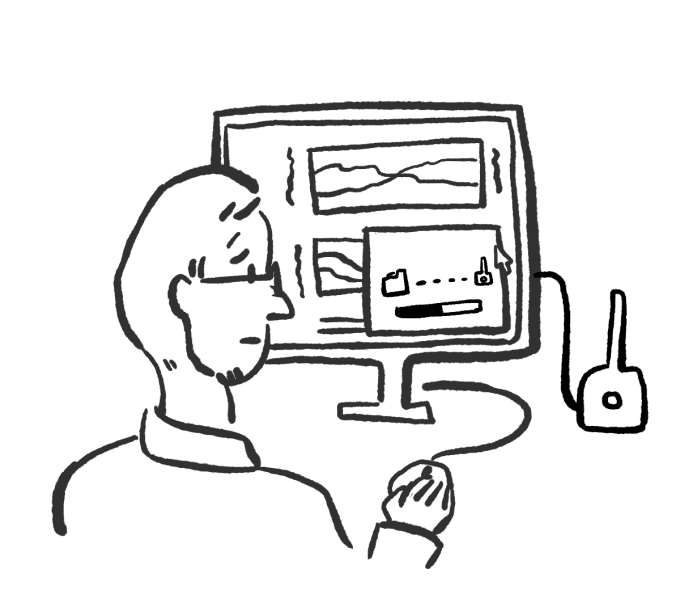
03 Manual support
The engineer manually updates the device firmware, disrupting their current tasks.
03 Manual support
The engineer manually updates the device firmware, disrupting their current tasks.
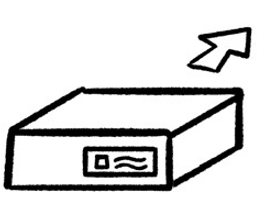
04 Repeated pain point
Each time it takes days to ship it back to the clinician.
04 Repeated pain point
Each time it takes days to ship it back to the clinician.
Seeing an opportunity to reduce friction for both our team and customers, I led a discovery effort to better understand the problem and define a path forward.
Seeing an opportunity to reduce friction for both our team and customers, I led a discovery effort to better understand the problem and define a path forward.
How might we simplify the update process to support our clinical customers?
How might we simplify the update process to support our clinical customers?
DESIGN Strategy
DESIGN Strategy
Eliminating manual burden through remote support
Eliminating manual burden through remote support
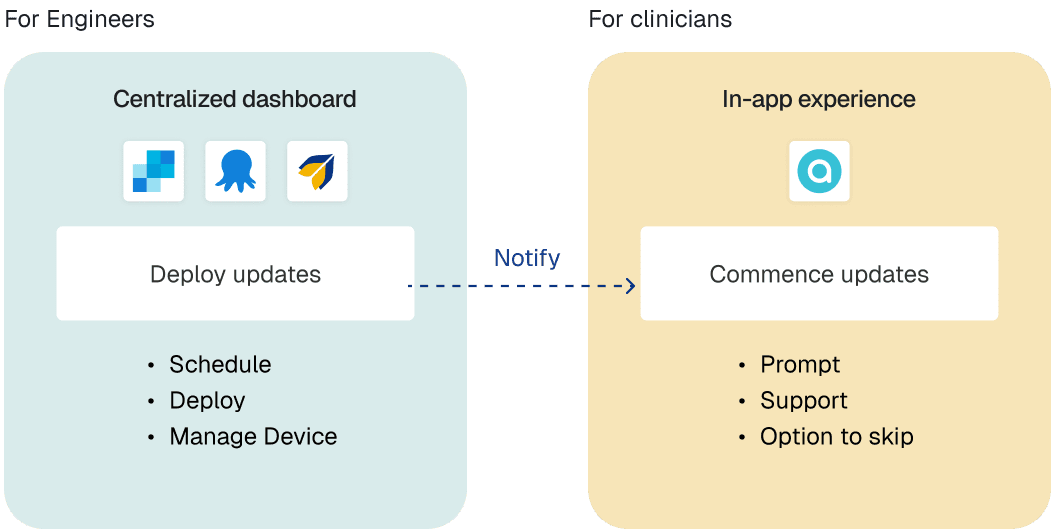
I conducted a gap analysis with our engineers and identified key inefficiencies in how updates were managed and distributed. This informed the design of a new dashboard enabling engineers to remotely push updates, while clinicians receive guided in-app prompts allowing them to complete the process with minimal disruption to their workflow.
The goal was to create a scalable system for all future device updates:
I conducted a gap analysis with our engineers and identified key inefficiencies in how updates were managed and distributed. This informed the design of a new dashboard enabling engineers to remotely push updates, while clinicians receive guided in-app prompts allowing them to complete the process with minimal disruption to their workflow.
The goal was to create a scalable system for all future device updates:
User flow
User flow
What will the clinic workflow look like?
What will the clinic workflow look like?
I kicked off a journey mapping session with engineers to identify the screens needed for each action:

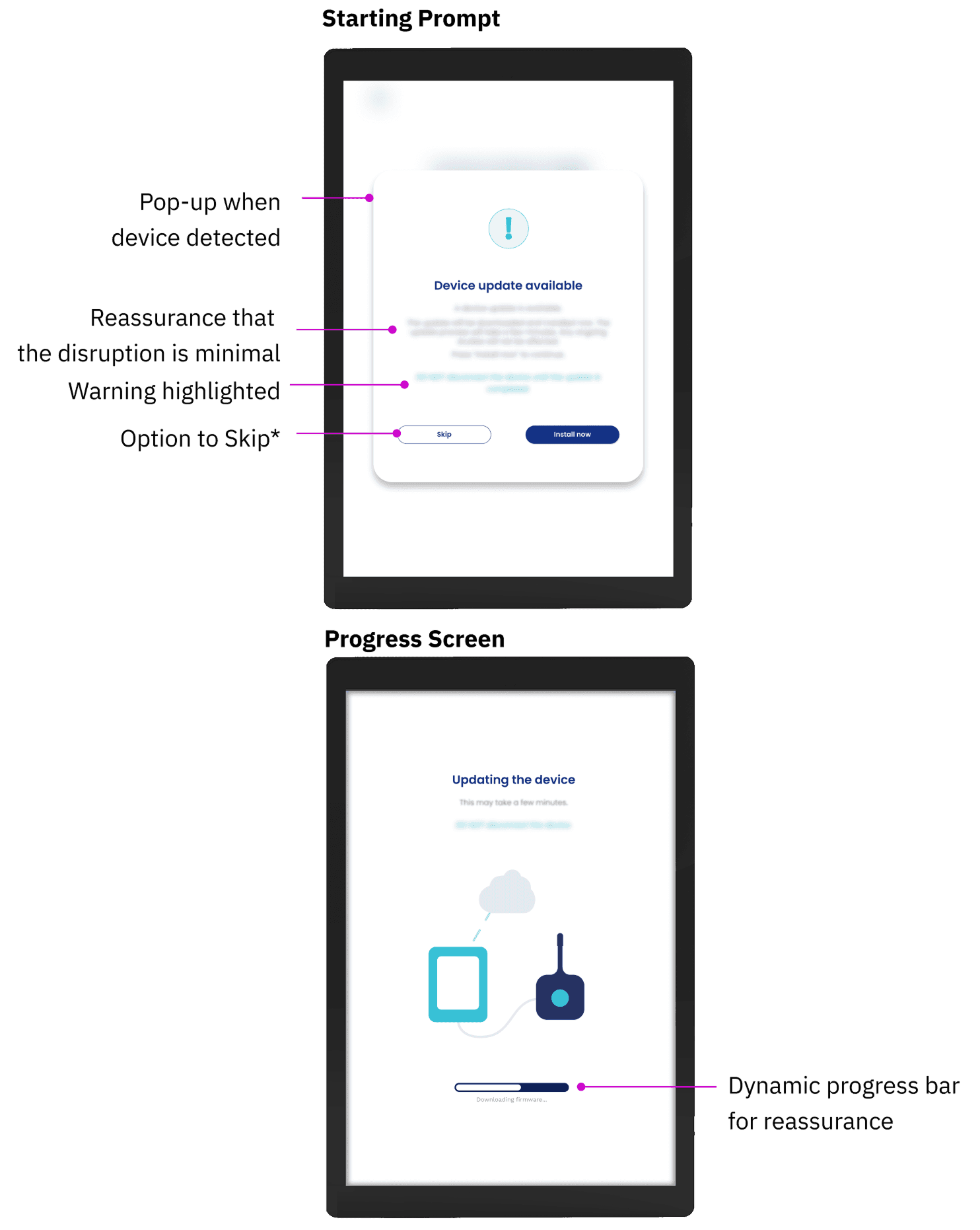
My approach for the clinics: Simple pop-up steps
My approach for the clinics: Simple pop-up steps
Curated UX copy to provide constant reassurance by managing expectations for what happens next.
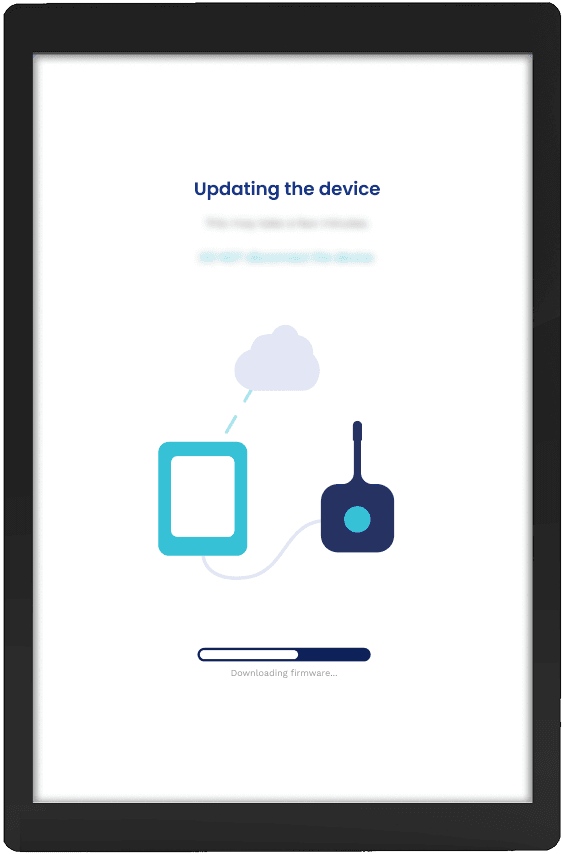
Visualized time estimates to reduce anxiety during the downtime.
Managed edge cases through communicating failure modes and providing an option to skip.
Curated UX copy to provide constant reassurance by managing expectations for what happens next.
Visualized time estimates to reduce anxiety during the downtime.
Managed edge cases through communicating failure modes and providing an option to skip.
Starting Prompt
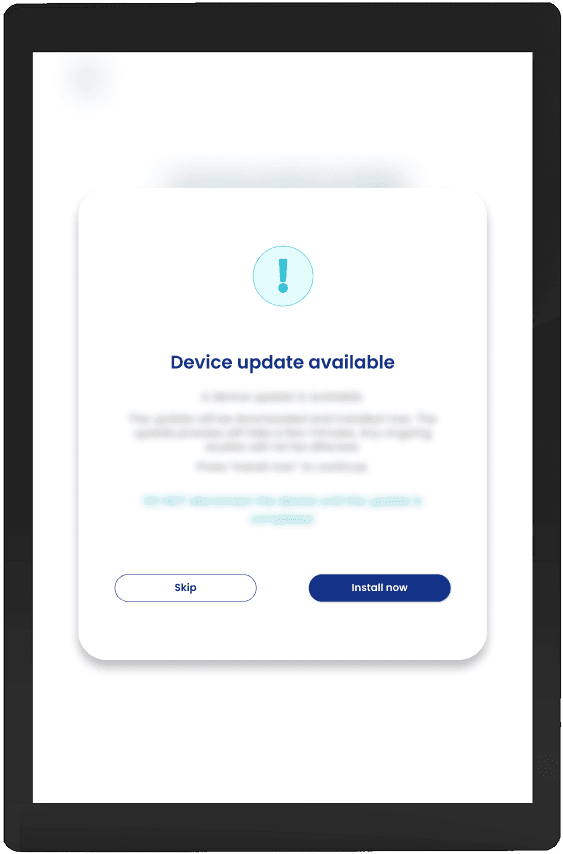
*Clinical environments are high pressure.
Option to Skip allows clinicians to postpone an update.
Warning highlighted
Option to Skip*
Pop-up when
device detected
Reassurance that
the disruption is minimal
Progress Screen
Dynamic progress bar for reassurance
Screen details anonymized for NDA compliance.
Details redacted due to NDA.
*Clinical environments are high pressure.
Option to Skip allows clinicians to postpone an update during a live patient consultation.
Details redacted due to NDA.
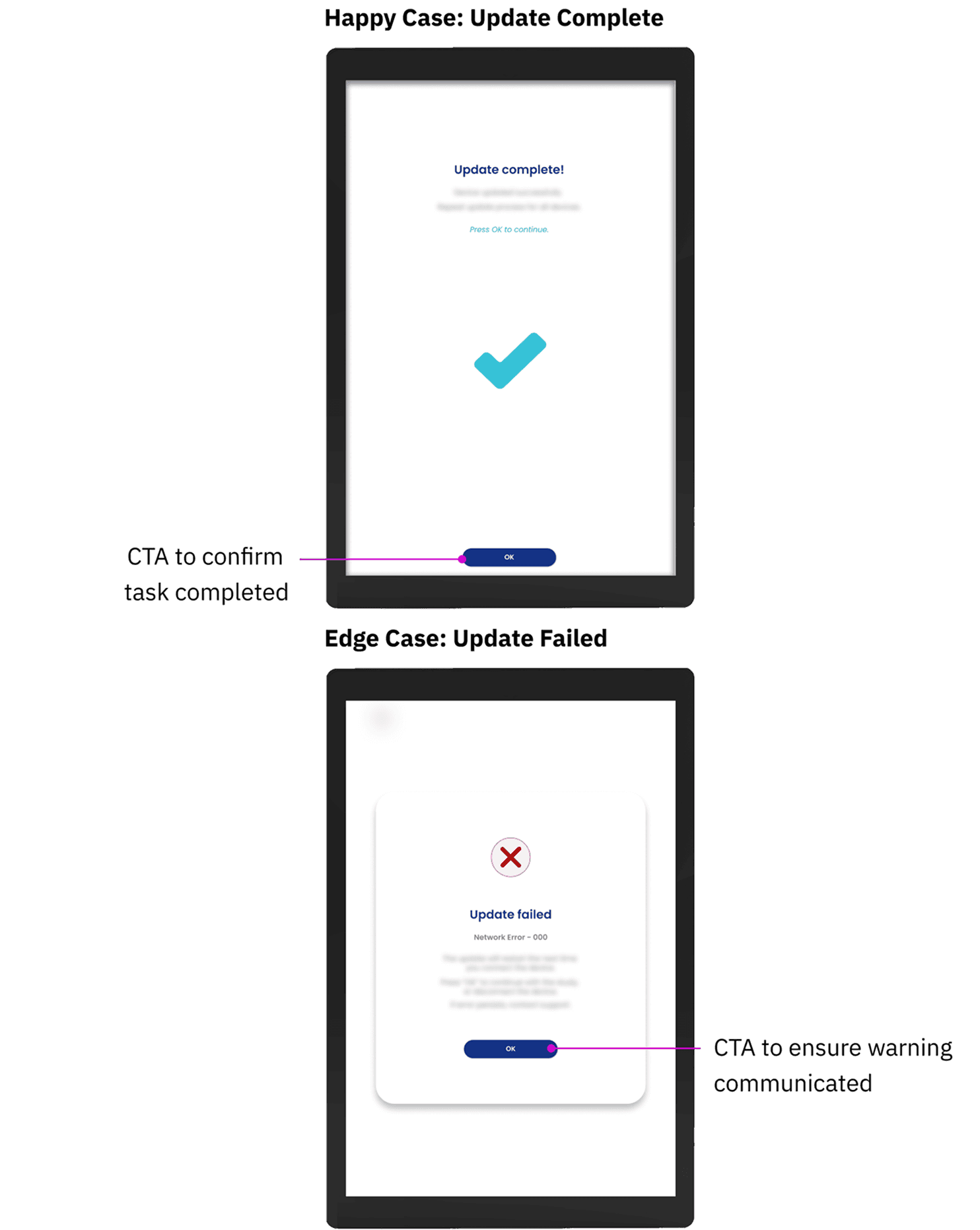
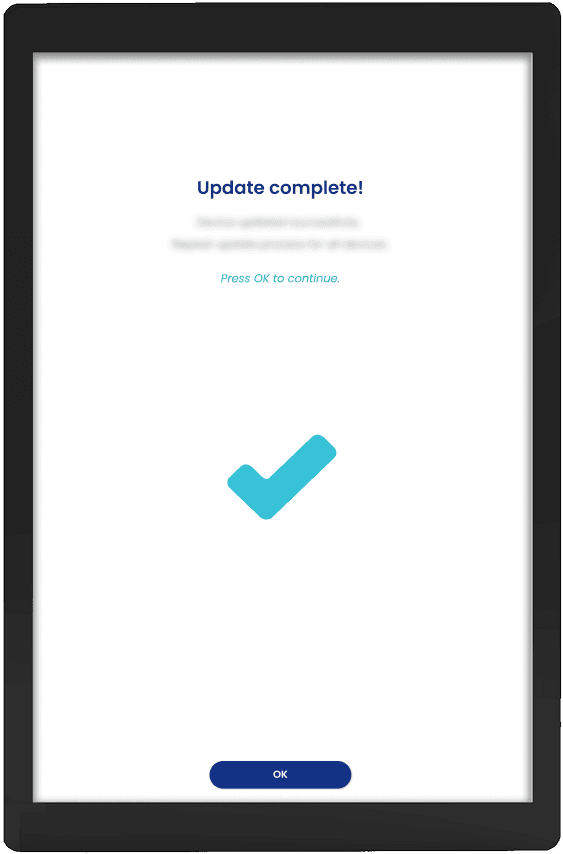
A prominent success screen that prompts clinicians to start their next consultation.
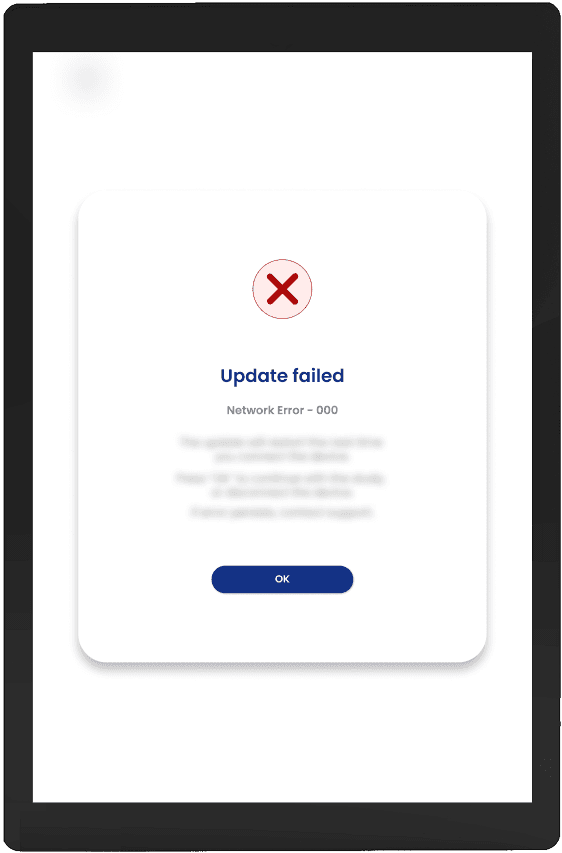
A warning pop-up that communicates the failure cause and next steps.
Happy Case: Update Complete
CTA to confirm
task completed
A prominent success screen that prompts clinicians to start their next consultation.
Edge Case: Update Failed
A warning pop-up that communicates the failure cause and next steps.
CTA to ensure warning communicated
Screen details anonymized for NDA compliance.
Details redacted due to NDA.
*Clinical environments are high pressure.
Option to Skip allows clinicians to postpone an update during a live patient consultation.
Design
Design
Centralized dashboard: schedule, deploy, manage devices
Centralized dashboard: schedule, deploy, manage devices
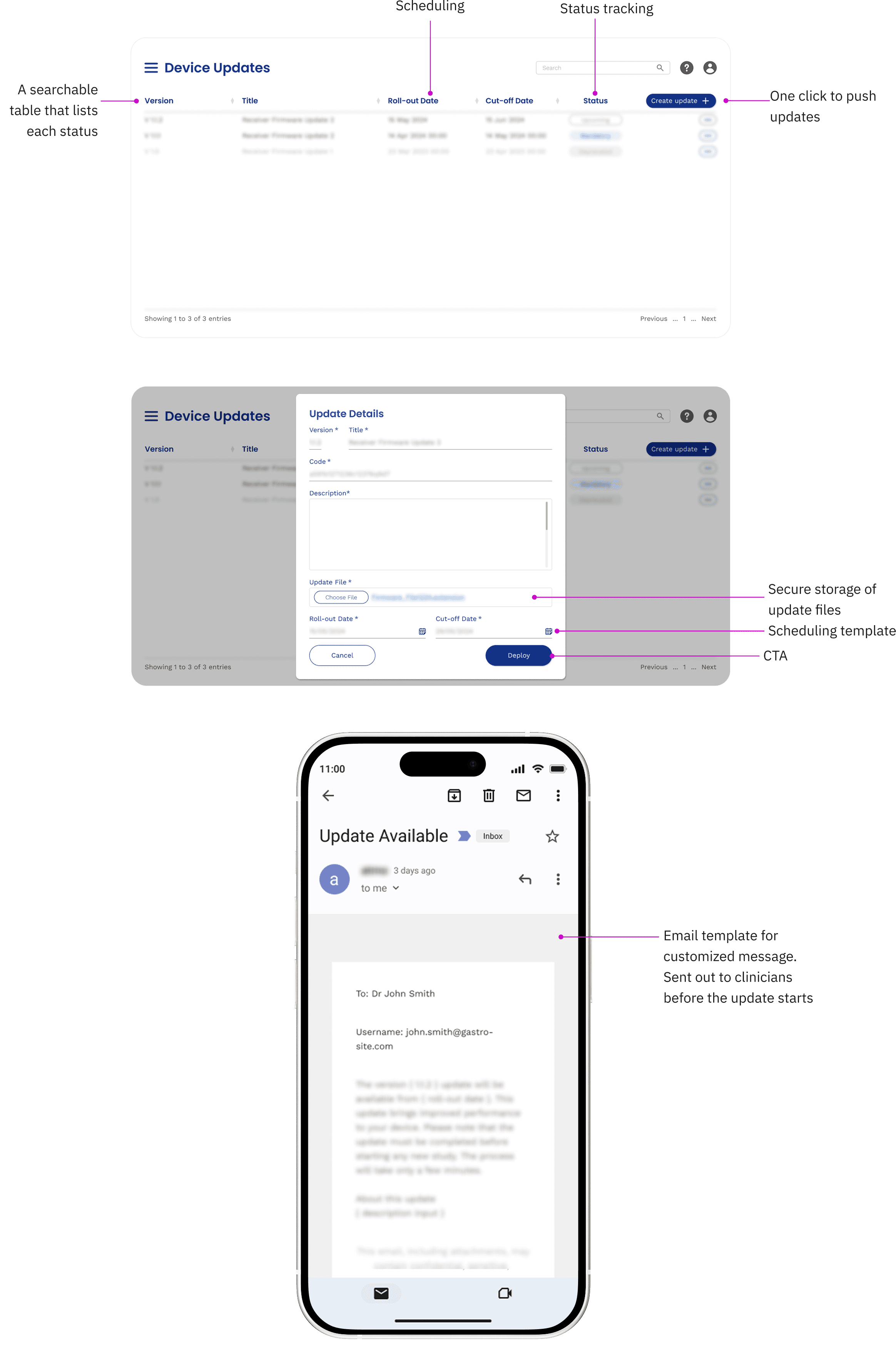
My approach for the internal team: Centralized dashboard
Created scalable template that can be replicated for other utilities.
Merged mechanisms into 1 so configuration and deployment can happen in one place.
Automated notification through email templates that are triggered by update deployment.
My approach for the internal team: Centralized dashboard
Created scalable template that can be replicated for other utilities.
Merged mechanisms into 1 so configuration and deployment can happen in one place.
Automated notification through email templates that are triggered by update deployment.
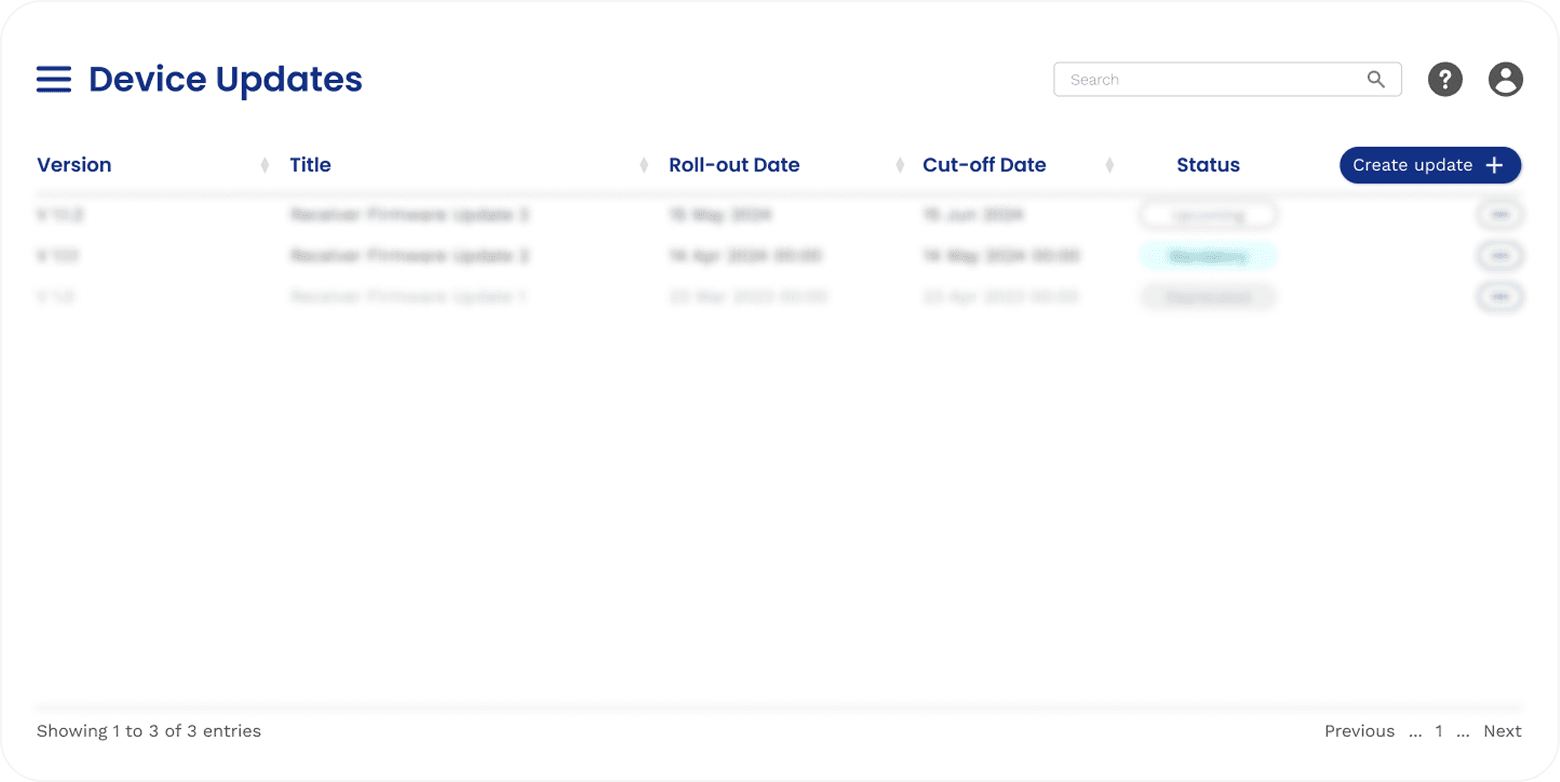
A searchable table that lists each status
Scheduling
Status tracking
One click to push updates
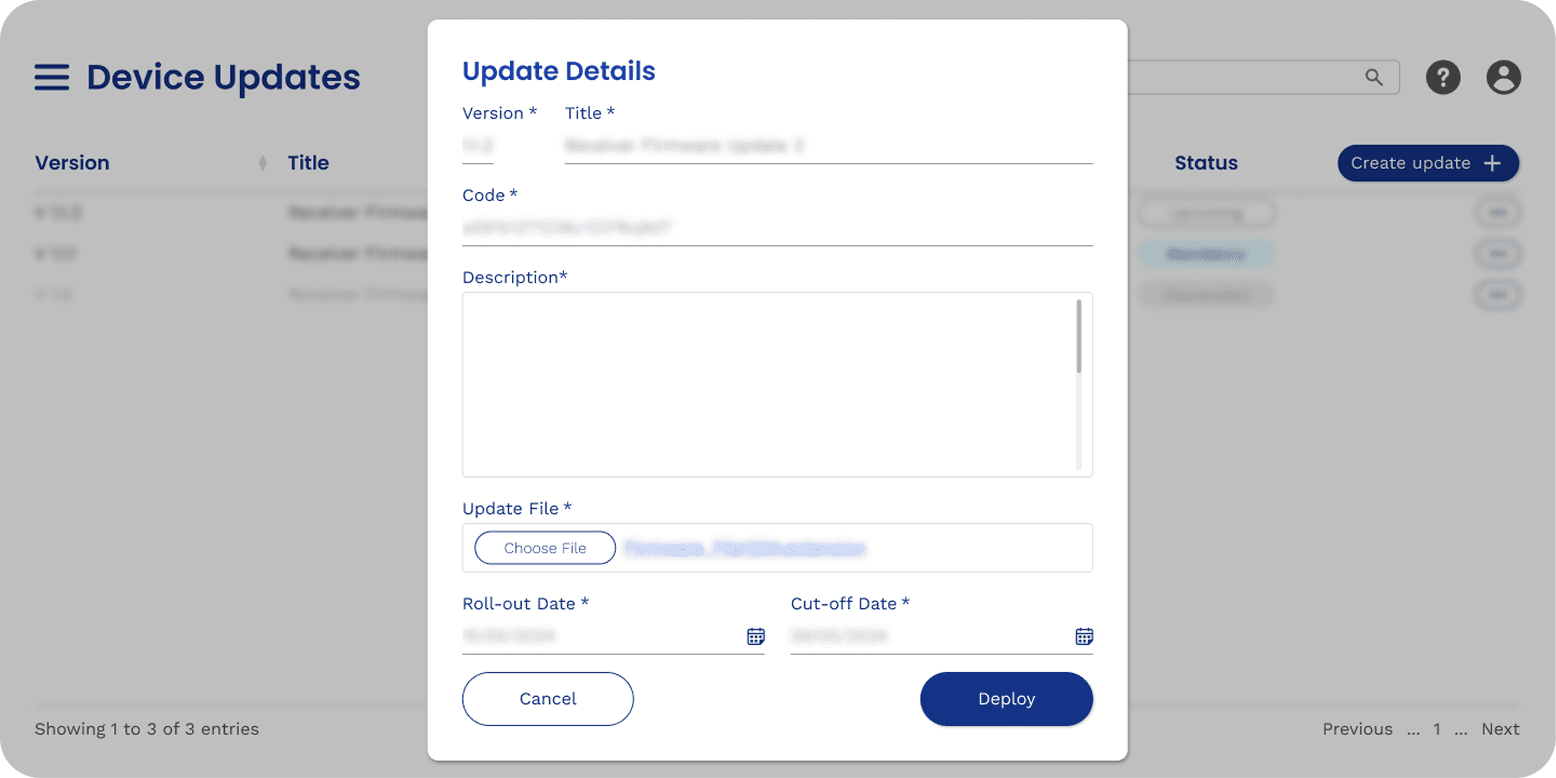
Secure storage of update files
Scheduling template
CTA
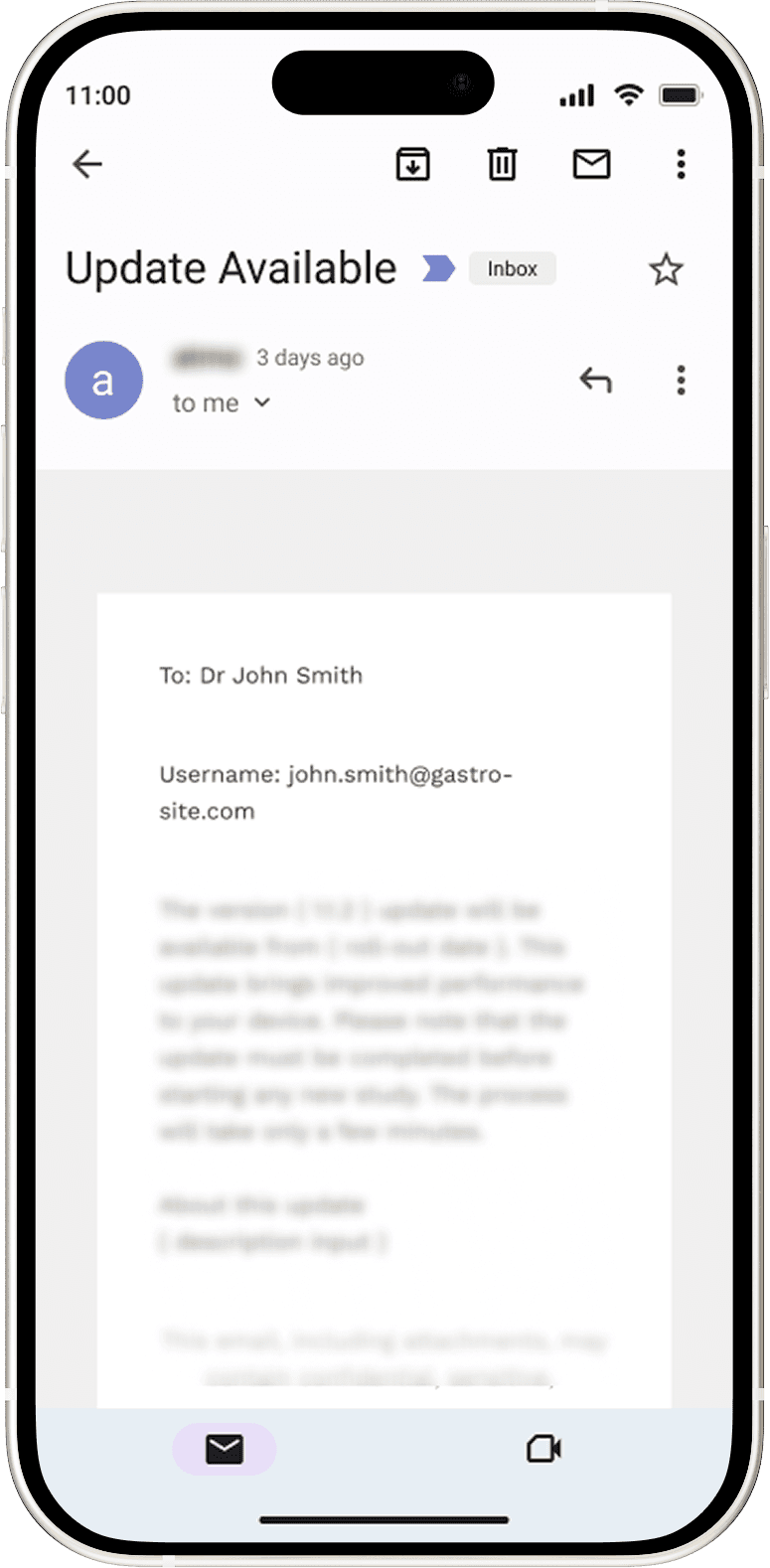
Email template for customized message.
Sent out to clinicians before the update starts
Details redacted due to NDA.
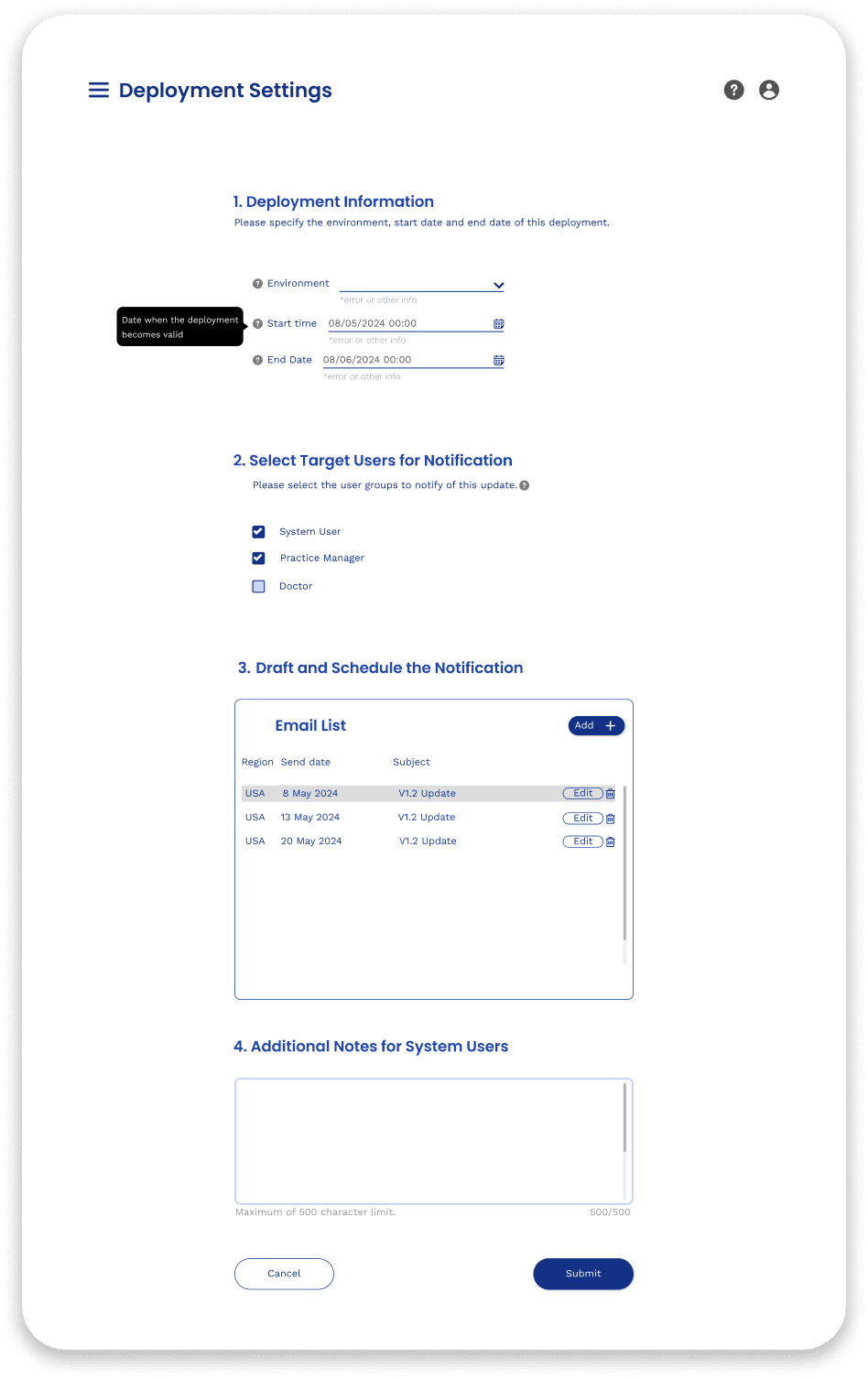
V1 Draft - Long scrolling form
My first draft is a long-scrolling form that includes every feature discussed. However, to ship the MVP fast, we pivoted to existing frameworks.
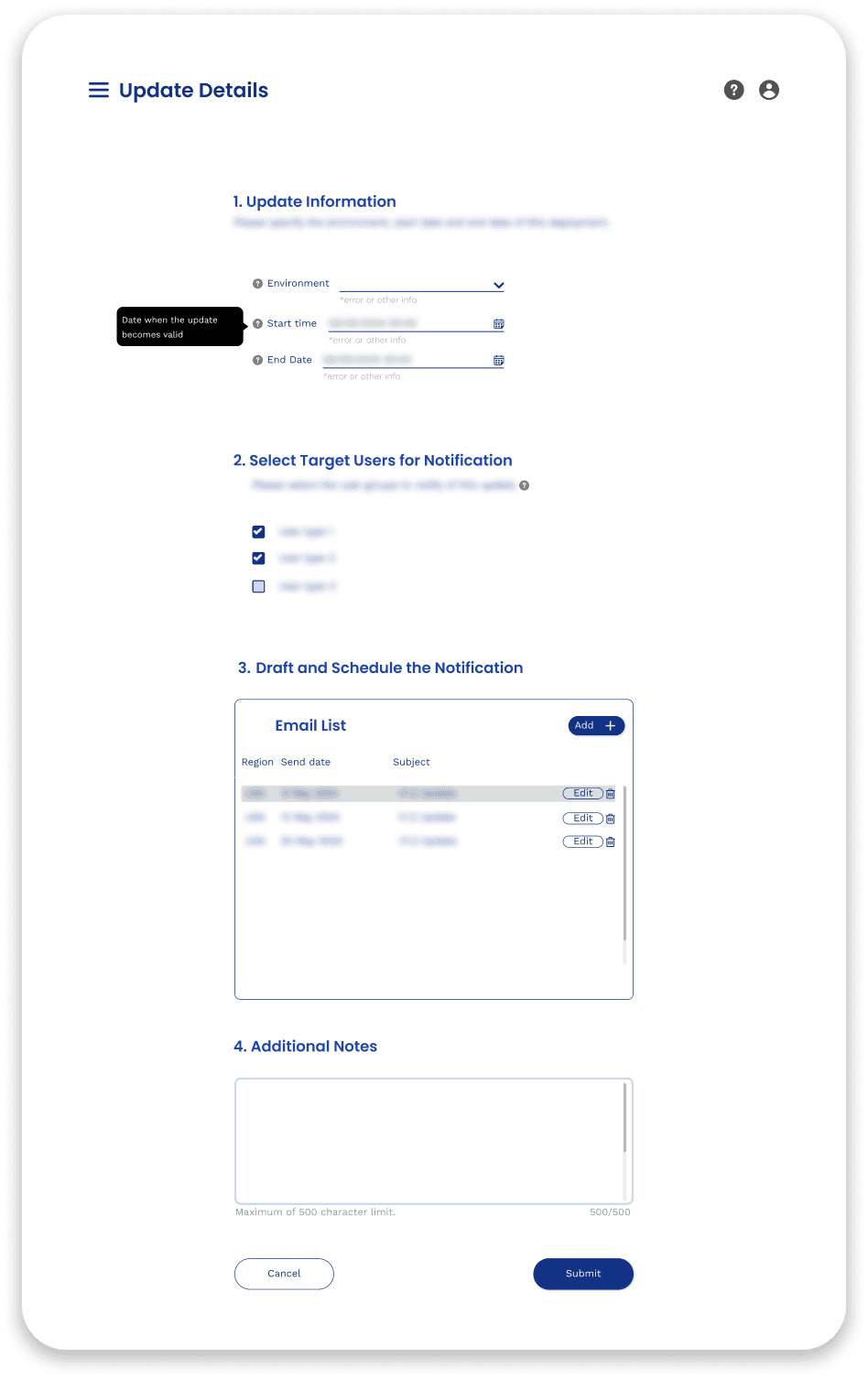
Familiar survey format reduces
context-switching
New framework increases development effort
Too many design elements
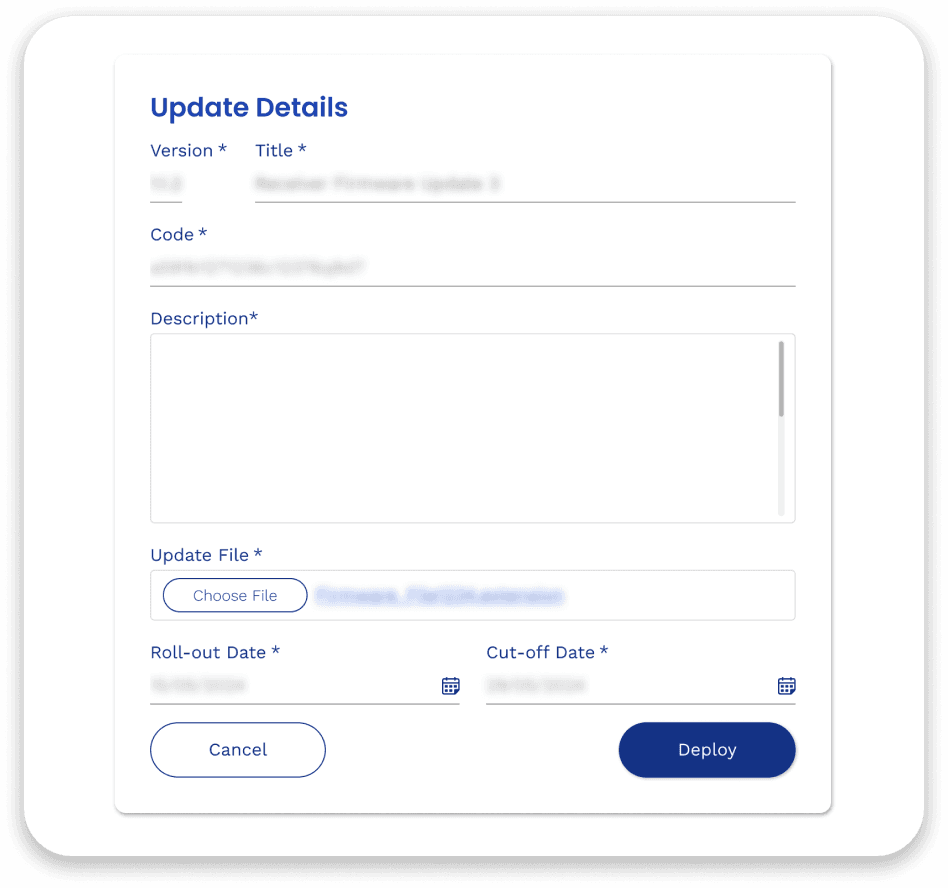
Final - Adapted existing modal
I customized the existing modal and dropped anything that’s out-of-scope, significantly reducing development time.
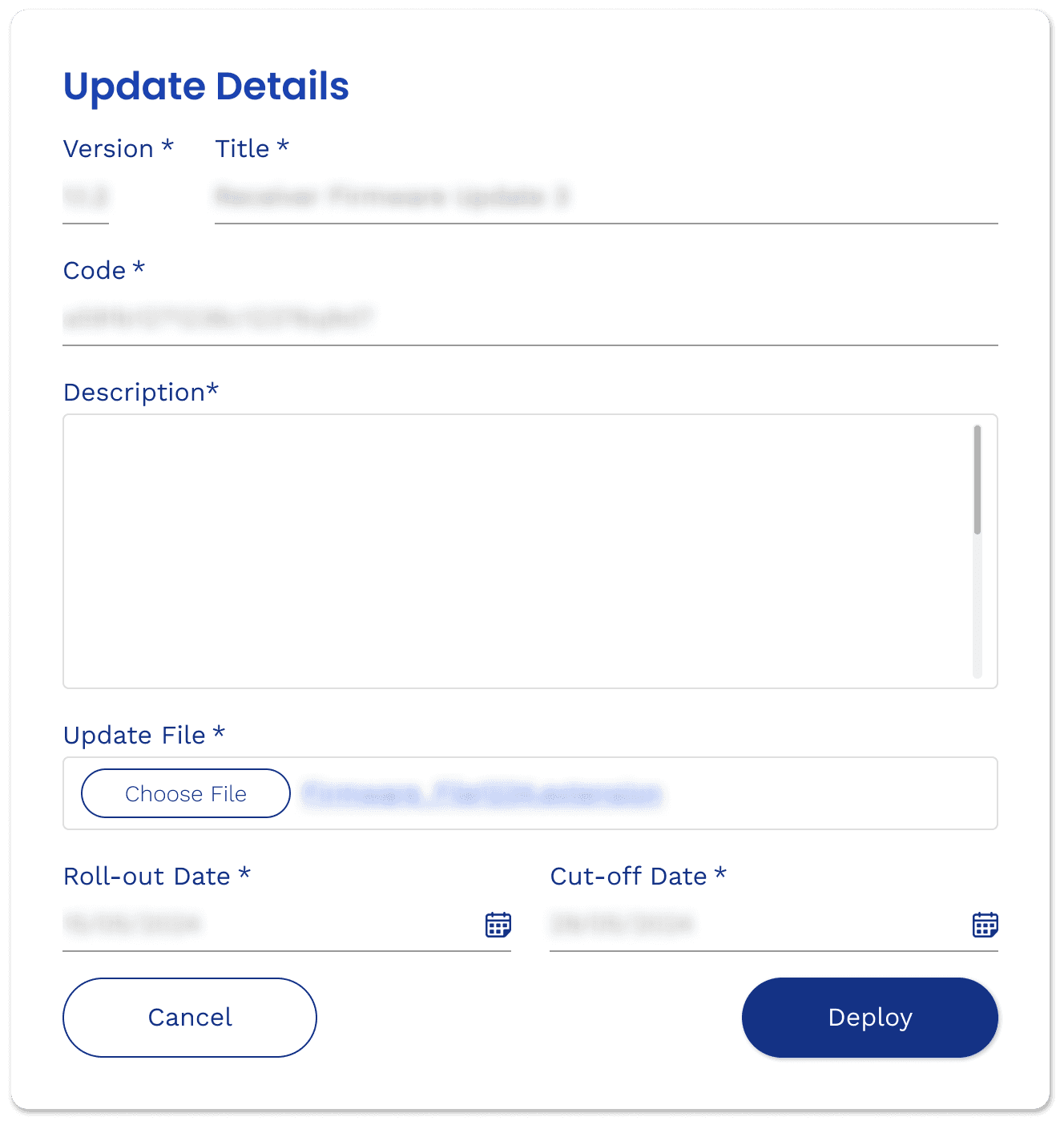
The modal takes one more click to reveal
Modal is an existing framework
Core features from design system
Design Change
Leveraging Existing Frameworks to Deliver a Faster, More Effective MVP
New element
introduced to
design system
New modal variant
customizable for
future releases
Design Change
Leveraging Existing Frameworks to Deliver a Faster, More Effective MVP
V1 Draft - Long scrolling form
My first draft is a long-scrolling form that includes every feature discussed. However, to ship the MVP fast, we pivoted to existing frameworks.
Familiar survey format reduces
context-switching
New framework increases development effort
Too many design elements
Final - Adapted existing modal
I customized the existing modal and dropped anything that’s out-of-scope, significantly reducing development time.
The modal takes one more click to reveal
Modal is an existing framework
Core features from design system
New element
introduced to
design system
New modal variant
customizable for
future releases
Final - Adapted existing modal
I customized the existing modal and dropped anything that’s out-of-scope, significantly reducing development time.
The modal takes one more click to reveal
Modal is an existing framework
Core features from design system
V1 Draft - Long scrolling form
My first draft is a long-scrolling form that includes every feature discussed. However, to ship the MVP fast, we pivoted to existing frameworks.
Familiar survey format reduces
context-switching
New framework increases development effort
Too many design elements
Design Change
Leveraging Existing Frameworks to Deliver a Faster, More Effective MVP
Impact
Impact
The new support feature unlocked a scalable framework
The new support feature unlocked a scalable framework
Reduced Operational Downtime from days to minutes
Created reusable template and design system for future projects
Centralized dashboard increased efficiency for the digital team
Reduced Operational Downtime from days to minutes
Created reusable template and design system for future projects
Centralized dashboard increased efficiency for the digital team
Learnings
Learnings
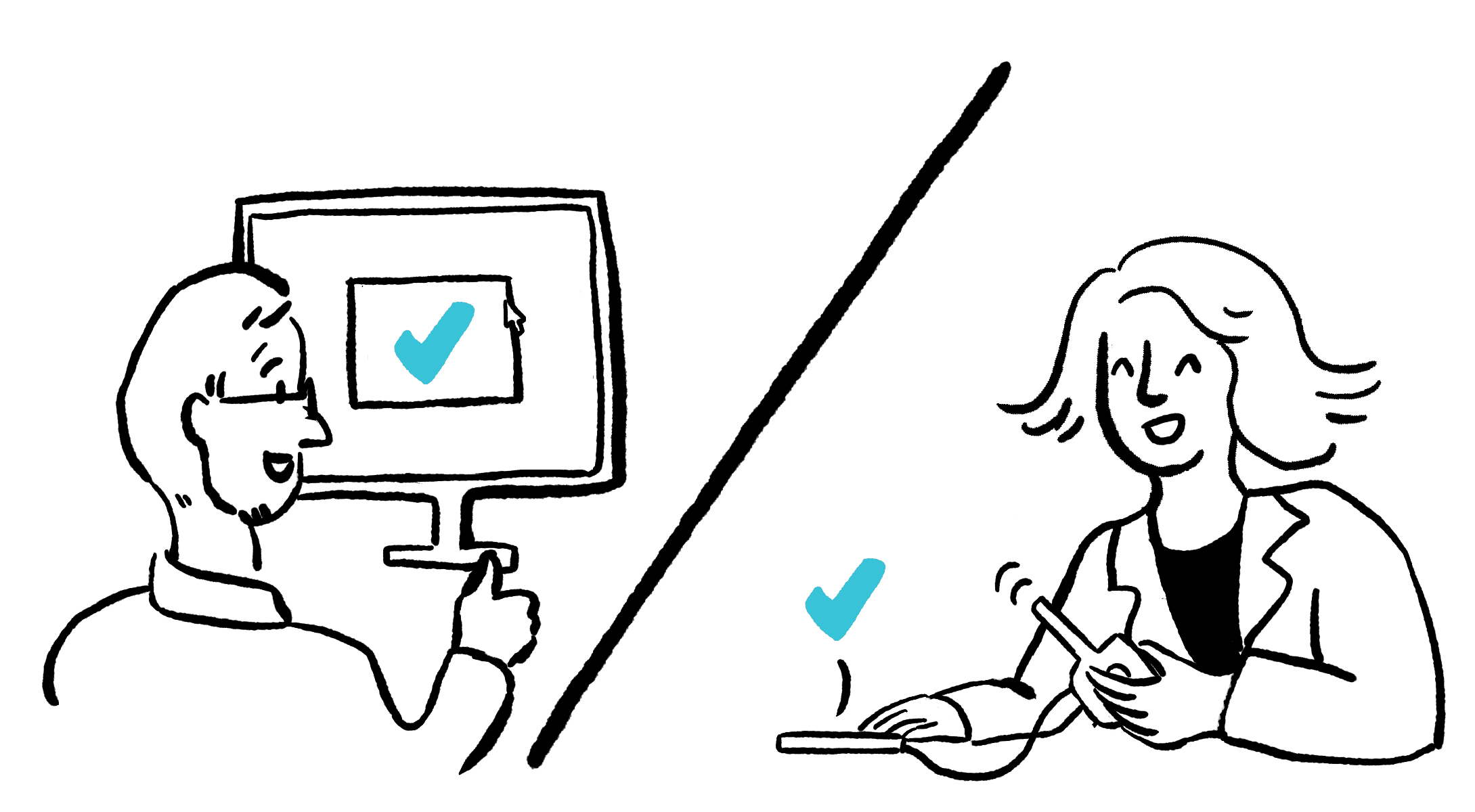
To bridge the gap between the business and the customer, I learned to translate backend engineering logic into clinician’s language. My biggest takeaway was that “complex but familiar” can outperform “simple but new,” as leveraging existing mental models reduces the learning curve and allows critical improvements to ship faster.
To bridge the gap between the business and the customer, I learned to translate backend engineering logic into clinician’s language. My biggest takeaway was that “complex but familiar” can outperform “simple but new,” as leveraging existing mental models reduces the learning curve and allows critical improvements to ship faster.